While investigating alternative vectors for privilege escalation on BlackBerry 10, an interesting binary loading behavior was identified.
The vast majority of stock signed applications share a similar property in their MANIFEST.MF: Entry-Point: LD_LIBRARY_PATH=app/native/lib:/usr/lib/qt4/lib CASCADES_THEME=dark app/native/BBVE.so
This indicates that the dynamic loader prioritizes app/native/lib when searching for shared object dependencies required by the executable.
Exploitation Mechanics
For installed applications, the OS fails to check whether a file present on disk is actually listed in MANIFEST.MF. Consequently, signature verification is entirely skipped for such unlisted files.
This behavior allows us to:
Inspect which shared libraries (.so) the target binary imports.
Place a proxy library or patch an unlisted dependency inside app/native/lib.
Achieve code execution with the target process's elevated system privileges without breaking app signatures.
Boot Persistence & Escalation
Another key finding involves background services triggered at startup. If an application defines an entry point such as: Entry-Point: [path=(cg660)sys.socialconnect.facebook/default:(cg660)sys.facebook/default:(fg660)sys.socialconnect.facebook/default:(fg660)sys.facebook/default timeout=20] LD_LIBRARY_PATH=app/native/lib:/usr/lib/qt4/lib CS4_ASSET_CACHE_ENABLED= CASCADES_THEME=bright app/native/service_app -t 300 libfacebook_plugin.so.1
...arbitrary code execution can be triggered automatically during system boot in the background process's context, providing a seamless mechanism for persistence and privilege escalation.
This exact vulnerability serves as the core exploitation vector for AutoRoot v4.
Limitations
Notably, the highest-privileged target—the Android Runtime subsystem—does not exhibit this vulnerability pattern.
This update focuses on core stability rather than a massive overhaul.
What's New in v3
Scripting Support
bb10mt now supports native scripts for manipulating QNX6FS images, inspired by and partially adapted from Pablo Ferreira's BlackberrySystemPacker.
This eliminates the need to distribute pre-built autoloaders—you can now generate a custom autoloader for any supported firmware version yourself.
Note: AutoRoot v3 has been tested primarily on BlackBerry 10.3.3.3216. Full functionality on other releases is not guaranteed. Root execution on versions below 10.2.1 may not work.
Modified getroot.bar
getroot.bar has been modified to use /usr/bin/context substitution, allowing it to function as an autostart manager replacing its original purpose.
Optimized Startup
Several background services that consume CPU resources without providing essential functionality have been disabled.
This results in a leaner and more responsive system.
NVRAM Backup Management
NVRAM backup handling has been optimized to reduce storage usage.
AutoRoot now retains:
The very first NVRAM backup
The 3 most recent NVRAM backups
Older backups are automatically discarded. Backups placed at /accounts/1000/shared/downloads/nvram
term49
term49 is now installed only during the initial first boot, avoiding unnecessary work on subsequent boots.
System-Wide Root Access
Root privileges are no longer limited to SSH sessions.
Root access can now be extended to system-wide processes, using:
u_root
__root
This functionality is disabled by default.
Special thanks to Stanley Williamson for the insight that made this possible.
SSH Disabled by Default
The SSH daemon (sshd) is now disabled by default for improved security.
SSH access can still be enabled during the build process if required.
Other
The files required for operation are now stored in /var/rootdata instead of /accounts/devuser/rootdata
Upgrade Without Reflashing
Supporters and contributors can request an upgrade script that allows upgrading an existing AutoRoot installation to v3 without reflashing the firmware.
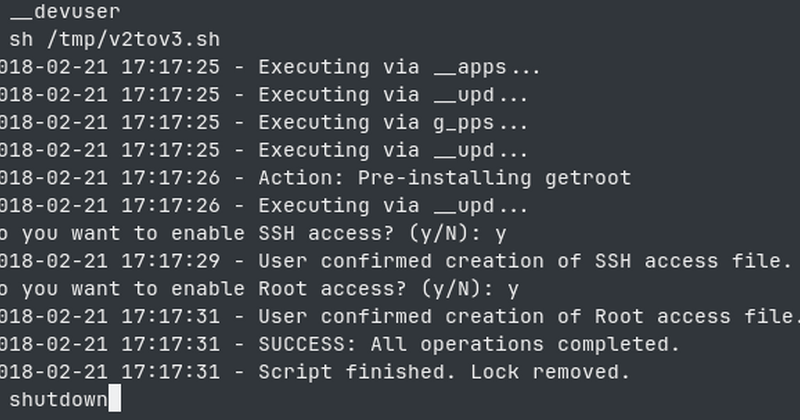
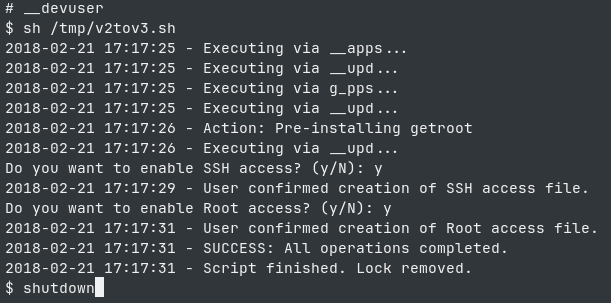
To update, copy the v2tov3.sh file to your device and run it using sh /path/to/file/v2tov3.sh
During the upgrade process, you will be asked whether root access is required and whether sshd is needed. After the script has run successfully, reboot the device to apply the changes.
Important Note for SSH/Root Users: If you are connected via SSH with root access, do not run the script directly as the root user. Instead, run it via the __devuser shell wrapper or add the script to pathtrust:
/proc/boot/pathtrust !/path/to/script/v2tov3.sh
Configuration
Before building AutoRoot v3, you can customize the installation using patch.txt.
Enable Root for Applications
To enable root access for applications such as term49, uncomment:
mod_nvram has also been pre-installed, which will allow you to unlock (mod_nvram -u) the device from your carrier and perform a downgrade (mod_nvram -d).
A backup of the NVRAM is created in the “downloads” folder every time the device is booted.
Fixed an issue with APK installation during the first boot.
Warning
If your phone's firmware version is different from 10.3.3.3216, then when you launch the app for the first time, data is transferred to the new firmware version, which is why the “autoroot” feature does not work. Therefore, for “autoroot” to function properly, you must install the firmware, wait for it to finish loading, and then flash it again.
Since no one has yet managed to turn my work into a finished solution, I’ll do it myself. This is a collection of firmwares with pre-installed root access.
Caution
Use at your own risk; I am not liable for any damages (direct or indirect) resulting from your use of these modified versions.
Flash device using the appropriate autoloader, wait for it to boot up and for the message “The device has been successfully rooted!” to appear, and then you're good to go.
In most cases, root survives a device reboot, but I don't have enough evidence to confirm this.
The SSH key is pre-installed; to access via SSH, use this private key. You can replace it with own by editing the file /var/etc/ssh/authorized_keys2 on device.
The following apps have been removed from the firmware:
com.evernote
com.linkedin
com.rim.bb.app.facebook
com.rim.bb.app.retaildemoshim
com.tcs.maps
com.twitter
sys.appworld
sys.cfs.box
sys.cfs.dropbox
sys.mmagic
sys.retaildemo
sys.socialconnect.facebook
sys.socialconnect.linkedin
sys.socialconnect.twitter
sys.socialconnect.youtube
sys.uri.youtube
Warning
Please wait about 5 minutes after the system has booted before install unsigned programs
Warning
It has been reported that after the first launch, you won't be able to install APKs. Restarting your phone resolves this issue. Before restarting your phone, be sure to wait for the notification that root access has been granted.
Warning
If your phone's firmware version is different from 10.3.3.3216, then when you launch the app for the first time, data is transferred to the new firmware version, which is why the “autoroot” feature does not work. Therefore, for “autoroot” to function properly, you must install the firmware, wait for it to finish loading, and then flash it again.